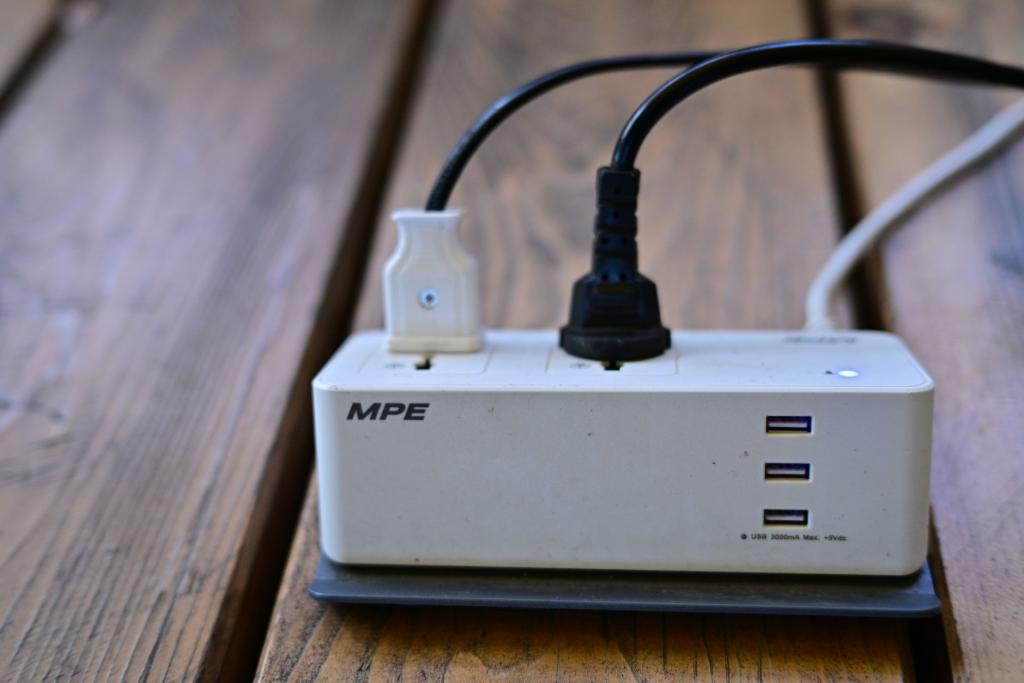
What does standby power mean if a device looks switched off? It is electricity used while a product is idle or not doing its main job. A clock, remote sensor or network connection may still be active. The useful first step is finding loads that are measurable and safe to switch off.
Why a device may draw power while idle
Many products keep part of their electronics awake after you press the power button. According to Lawrence Berkeley National Laboratory’s standby-power FAQ, that draw can support remote-control or network signals, a clock or display, battery charging, or temperature monitoring. Standby power covers several low-power modes, not one identical setting for every product.
A connected television may listen for a remote, a printer may remain network-ready, and a charger may use some electricity while nothing is connected. But a status light does not show how many watts a product uses, and a screen or warm casing does not prove that it is a major drain. LBNL says most products use less than 0.5 watts in standby on its overview page, while noting that many devices add up across a home.
What research estimates—and why the ranges vary
LBNL’s Standby Power site gives 5–10% as a typical residential-electricity share in developed countries. Treat that as a broad estimate, not a current reading for every household: the page does not attach a survey year or one measurement method to the figure, and households differ in devices and total electricity use.
A whole-house study by J.P. Ross and Alan Meier, published by LBNL in June 2000, shows how wide the range can be. Researchers measured 190 appliances across 10 single- and multi-family homes in Northern California and compared device readings with short whole-home meter readings. Standby loads ranged from 14 to 169 watts per home, averaging 67 watts; the estimated share was 5–26% of those homes’ annual electricity use. The researchers said ten homes were too few to represent California accurately. These findings describe a small, older sample—not a current national average. Read the report abstract and study data.
In that 2000 sample, televisions averaged 6.4 watts, set-top boxes averaged 10.2 watts across three units, and printers averaged 4.2 watts; microwaves averaged 2.8 watts across seven units. Those are measurements of products from that period, not ratings for models sold today. Devices of the same broad type can differ, so do not assume every appliance is a major drain.
How to spot the loads worth checking
Start with equipment that stays plugged in but is rarely used: an unused guest-room TV and its accessories, old audio or office gear, empty chargers, or seasonal appliances. LBNL’s unplugging guide prioritizes older and seldom-used products. It also advises people to think first and observe what happens after unplugging.
To replace guesswork with a number, use a plug-in watt meter between the outlet and one device. Record its draw in the mode you want to assess, such as off by remote or sleep, and compare devices on the same basis. LBNL warns that meter errors become relatively larger below about 1 watt, so tiny readings can be uncertain. Its FAQ gives a useful scale: a continuous 1-watt load uses about 9 kilowatt-hours in a year. That helps compare energy use; it does not predict a particular bill reduction.
Prioritize measured watts multiplied by the time a load stays on, not the product that looks most suspicious. A low-watt device that remains idle for long periods can use more energy than a higher-watt one used briefly. Before disconnecting something, check whether you rely on its clock, battery charging, network connection or monitoring function. According to the U.S. Department of Energy’s Energy Saver advice for renters, power strips and smart plugs can turn selected electronics off; choose equipment that does not need continuous power. For a separate guide to what cables support during active charging, see GenZ NewZ’s USB-C cable capabilities explainer.
Choosing strips and timers with care
A basic switchable strip lets you cut power to a cluster, such as a TV, sound system and game console, in one move. Depending on its design, an advanced or “smart” strip may automate shutoff by schedule or through a control outlet. A timer can disconnect a load during set hours. A strip or timer reduces standby draw only during periods when it disconnects power and the device can safely be off.
Automation has trade-offs. Shutting off a router can disconnect networked gear; cutting power to a recorder, console or computer may interrupt downloads, updates, recordings or charging. Some strips have outlets that stay on, but check the product instructions rather than assuming every socket behaves alike. LBNL recommends switchable strips for clusters of computer or video equipment and says to consider consequences before unplugging devices.
Do not put essential or automatically cycling equipment on a timer or strip that may cut power unless its manual says that is safe. Switching off a strip does not change an appliance’s efficiency or reduce the energy it uses while active. A timer helps when it is set for periods when the device can safely be disconnected. The practical test is simple: measure a candidate, decide whether its always-on function matters, and automate only a load you can safely leave off.
Comments 0
No comments yet. Be the first to share your thoughts!
Leave a comment
Share your thoughts. Your email will not be published.